---
url: /guide/asset-versioning.md
---
# Asset versioning
One common challenge when building single-page apps is refreshing site assets when they've been changed. Thankfully, Inertia makes this easy by optionally tracking the current version of your site assets. When an asset changes, Inertia will automatically make a full page visit instead of a XHR visit on the next request.
## Configuration
To enable automatic asset refreshing, you need to tell Inertia the current version of your assets using the `InertiaRails.configure` method and setting the `config.version` property. This can be any arbitrary string (letters, numbers, or a file hash), as long as it changes when your assets have been updated.
```ruby
InertiaRails.configure do |config|
config.version = ViteRuby.digest # or any other versioning method
end
# You can also use lazy evaluation
InertiaRails.configure do |config|
config.version = lambda { ViteRuby.digest }
end
```
## Cache busting
Asset refreshing in Inertia works on the assumption that a hard page visit will trigger your assets to reload. However, Inertia doesn't actually do anything to force this. Typically this is done with some form of cache busting. For example, appending a version query parameter to the end of your asset URLs.
---
---
url: /guide/authentication.md
---
# Authentication
One of the benefits of using Inertia is that you don't need a special authentication system such as OAuth to connect to your data provider (API). Also, since your data is provided via your controllers, and housed on the same domain as your JavaScript components, you don't have to worry about setting up CORS.
Rather, when using Inertia, you can simply use whatever authentication system you like, such as solutions based on Rails' built-in `has_secure_password` method, or gems like [Devise](https://github.com/heartcombo/devise), [Sorcery](https://github.com/Sorcery/sorcery), [Authentication Zero](https://github.com/lazaronixon/authentication-zero), etc.
---
---
url: /guide/authorization.md
---
# Authorization
When using Inertia, authorization is best handled server-side in your application's authorization policies. However, you may be wondering how to perform checks against your authorization policies from within your Inertia page components since you won't have access to your framework's server-side helpers.
The simplest approach to solving this problem is to pass the results of your authorization checks as props to your page components.
Here's an example of how you might do this in a Rails controller using the [Action Policy](https://github.com/palkan/action_policy) gem:
```ruby
class UsersController < ApplicationController
def index
render inertia: {
can: {
create_user: allowed_to?(:create, User)
},
users: User.all.map do |user|
user.as_json(
only: [:id, :first_name, :last_name, :email]
).merge(
can: {
edit_user: allowed_to?(:edit, user)
}
)
end
}
end
end
```
---
---
url: /awesome.md
---
# Awesome Inertia Rails
## Community and social media
* [X.com](https://x.com/inertiajs) - Official X account.
* [Discord](https://discord.gg/inertiajs) - Official Discord server.
* [Reddit](https://www.reddit.com/r/inertiajs) - Inertia.js subreddit.
## Starter kits
* [Inertia Rails Starter Kit](https://github.com/skryukov/inertia-rails-shadcn-starter) - A starter kit based on the [Laravel Starter Kit](https://github.com/laravel/react-starter-kit) (React, shadcn/ui).
* [Kaze](https://github.com/gtkvn/kaze) - Rails authentication scaffolding (Hotwire/React/Vue).
* [Svelte starter template](https://github.com/georgekettle/rails_svelte) - (Svelte, shadcn/ui).
* [Kickstart](https://github.com/alec-c4/kickstart) - Rails application starter kits, Inertia-based (React, Svelte, Vue) and classic (API, esbuild and importmaps)
## Real-world applications
* [Code Basics](https://code-basics.com) — Free online programming courses. **Code available on [GitHub](https://github.com/hexlet-basics/hexlet-basics)**.
* [Crevio](https://crevio.co) — All-In-One creator store.
* [Hardcover](https://hardcover.app) — A social network for book lovers.
* [Clipflow](https://www.clipflow.co) — Project Management for Content Creators.
* [Switch Kanban](https://switchkanban.com.br) — Project management tool for Software Houses.
* [OG Pilot](https://ogpilot.com) - A dynamic Open Graph image generator tool.
## Demo applications
* [Ruby on Rails/Vue](https://github.com/ledermann/pingcrm) by Georg Ledermann.
* [Ruby on Rails/Vue SSR/Vite](https://github.com/ElMassimo/pingcrm-vite) by Máximo Mussini.
## Packages
### Inertia-specific
* [Inertia X](https://github.com/buhrmi/inertiax) – Svelte-only fork of Inertia with additional features (Svelte).
* [useInertiaForm](https://github.com/aviemet/useInertiaForm) – direct replacement of Inertia's useForm hook with support for nested forms (React).
* [Inertia Modal](https://github.com/inertiaui/modal) – open any route in a Modal or Slideover without having to change anything about your existing routes or controllers (React, Vue).
### General
* [JsRoutes](https://github.com/railsware/js-routes) – Brings Rails named routes to JavaScript.
* [JS From Routes](https://github.com/ElMassimo/js_from_routes) – Generate path helpers and API methods from your Rails routes.
* [Typelizer](https://github.com/skryukov/typelizer) – A TypeScript type generator for Ruby serializers.
* [types\_from\_serializers](https://github.com/ElMassimo/types_from_serializers) – Generate TypeScript interfaces from your JSON serializers.
## Articles
* [Building Filters with Inertia.js and Rails: A Clean Approach](https://pedro.switchdreams.com.br/inertiajs/2025/06/03/filters-with-inertia-and-rails/) by Pedro Duarte (2025).
* [Inertial Rails project setup to use code generated from v0 (ShadcnUI, TailwindCSS4, React, TypeScript) and deploy with Kamal](https://tuyenhx.com/blog/inertia-rails-shadcn-typescript-ssr-en/) by Tom Ho (2025).
* [How We Fell Out of Love with Next.js and Back in Love with Ruby on Rails & Inertia.js](https://hardcover.app/blog/part-1-how-we-fell-out-of-love-with-next-js-and-back-in-love-with-ruby-on-rails-inertia-js) by Adam Fortuna (2025).
* [How to Handle Bundle Size in Inertia.js](https://pedro.switchdreams.com.br/inertiajs/2025/03/21/handle-bundle-size-inertiajs) by Pedro Duarte (2025).
* [Building an InertiaJS app with Rails](https://avohq.io/blog/inertia-js-with-rails) by Exequiel Rozas (2025).
* [How to Build a Twitter Clone with Rails 8 Inertia and React](https://robrace.dev/blog/build-a-twitter-clone-with-rails-inertia-and-react) by Rob Race (2025).
* [Keeping Rails cool: the modern frontend toolkit](https://evilmartians.com/chronicles/keeping-rails-cool-the-modern-frontend-toolkit) by Irina Nazarova (2024).
* [Inertia.js in Rails: a new era of effortless integration](https://evilmartians.com/chronicles/inertiajs-in-rails-a-new-era-of-effortless-integration) by Svyatoslav Kryukov (2024).
## Other
* [Inertia.js devtools](https://chromewebstore.google.com/detail/inertiajs-devtools/golilfffgehhabacoaoilfgjelagablo?hl=en) - Inertia.js page json in devtools panel.
## Videos
* [Ken Greeff's YouTube channel](https://www.youtube.com/@kengreeff/search?query=inertia) — fresh Inertia Rails content (2025).
* [InertiaJS on Rails](https://www.youtube.com/watch?v=03EjkPaCHEI\&list=PLRxuhjCzzcWj4MUjDCC9TCP_ZfcRL0I1s) – YouTube course by Brandon Shar (2021).
## Talks
* [Tropical on Rails 2025: Defying Front-End Inertia](https://www.youtube.com/watch?v=uLFItMoF_wA) by Svyatoslav Kryukov (2025).
* [RailsConf 2021: Inertia.js on Rails Lightning Talk](https://www.youtube.com/watch?v=-JT1RF-IhKs) by Brandon Shar (2021).
*Please share your projects and resources with us!*
---
---
url: /guide/client-side-setup.md
---
# Client-side setup
Once you have your [server-side framework configured](/guide/server-side-setup.md), you then need to setup your client-side framework. Inertia currently provides support for React, Vue, and Svelte.
> \[!NOTE]
> You can skip this step if you have already executed the [Rails generator](/guide/server-side-setup#rails-generator).
## Install dependencies
First, install the Inertia client-side adapter corresponding to your framework of choice.
:::tabs key:frameworks
\== Vue
```shell
npm install @inertiajs/vue3 vue
```
\== React
```shell
npm install @inertiajs/react react react-dom
```
\== Svelte 4|Svelte 5
```shell
npm install @inertiajs/svelte svelte
```
:::
## Initialize the Inertia app
Next, update your main JavaScript file to boot your Inertia app. To accomplish this, we'll use the `createInertiaApp` function to initialize the client-side framework with the base Inertia component.
:::tabs key:frameworks
\== Vue
```js
// frontend/entrypoints/inertia.js
import { createApp, h } from 'vue'
import { createInertiaApp } from '@inertiajs/vue3'
createInertiaApp({
resolve: (name) => {
const pages = import.meta.glob('../pages/**/*.vue', { eager: true })
return pages[`../pages/${name}.vue`]
},
setup({ el, App, props, plugin }) {
createApp({ render: () => h(App, props) })
.use(plugin)
.mount(el)
},
})
```
\== React
```js
// frontend/entrypoints/inertia.js
import { createInertiaApp } from '@inertiajs/react'
import { createElement } from 'react'
import { createRoot } from 'react-dom/client'
createInertiaApp({
resolve: (name) => {
const pages = import.meta.glob('../pages/**/*.jsx', { eager: true })
return pages[`../pages/${name}.jsx`]
},
setup({ el, App, props }) {
const root = createRoot(el)
root.render(createElement(App, props))
},
})
```
\== Svelte 4
```js
// frontend/entrypoints/inertia.js
import { createInertiaApp } from '@inertiajs/svelte'
createInertiaApp({
resolve: (name) => {
const pages = import.meta.glob('../pages/**/*.svelte', { eager: true })
return pages[`../pages/${name}.svelte`]
},
setup({ el, App, props }) {
new App({ target: el, props })
},
})
```
\== Svelte 5
```js
// frontend/entrypoints/inertia.js
import { createInertiaApp } from '@inertiajs/svelte'
import { mount } from 'svelte'
createInertiaApp({
resolve: (name) => {
const pages = import.meta.glob('./Pages/**/*.svelte', { eager: true })
return pages[`./Pages/${name}.svelte`]
},
setup({ el, App, props }) {
mount(App, { target: el, props })
},
})
```
:::
The `setup` callback receives everything necessary to initialize the client-side framework, including the root Inertia `App` component.
## Configuring defaults
@available\_since core=2.2.11
You may pass a `defaults` object to `createInertiaApp()` to configure default settings for various features. You don't have to pass all keys, just the ones you want to tweak.
```js
createInertiaApp({
// ...
defaults: {
form: {
recentlySuccessfulDuration: 5000,
},
prefetch: {
cacheFor: '1m',
hoverDelay: 150,
},
visitOptions: (href, options) => {
return {
headers: {
...options.headers,
'X-Custom-Header': 'value',
},
}
},
},
})
```
The `visitOptions` callback receives the target URL and the current visit options, and should return an object with any options you want to override. For more details on the available configuration options, see the [forms](/guide/forms#form-errors), [prefetching](/guide/prefetching), and [manual visits](/guide/manual-visits#global-visit-options) documentation.
### Updating at runtime
You may also update configuration values at runtime using the exported `config` instance. This is
particularly useful when you need to adjust settings based on user preferences or application state.
:::tabs key:frameworks
\== Vue
```js
import { router } from '@inertiajs/vue3'
// Set a single value using dot notation...
config.set('form.recentlySuccessfulDuration', 1000)
config.set('prefetch.cacheFor', '5m')
// Set multiple values at once...
config.set({
'form.recentlySuccessfulDuration': 1000,
'prefetch.cacheFor': '5m',
})
// Get a configuration value...
const duration = config.get('form.recentlySuccessfulDuration')
```
\== React
```js
import { router } from '@inertiajs/react'
// Set a single value using dot notation...
config.set('form.recentlySuccessfulDuration', 1000)
config.set('prefetch.cacheFor', '5m')
// Set multiple values at once...
config.set({
'form.recentlySuccessfulDuration': 1000,
'prefetch.cacheFor': '5m',
})
// Get a configuration value...
const duration = config.get('form.recentlySuccessfulDuration')
```
\== Svelte 4|Svelte 5
```js
import { router } from '@inertiajs/svelte'
// Set a single value using dot notation...
config.set('form.recentlySuccessfulDuration', 1000)
config.set('prefetch.cacheFor', '5m')
// Set multiple values at once...
config.set({
'form.recentlySuccessfulDuration': 1000,
'prefetch.cacheFor': '5m',
})
// Get a configuration value...
const duration = config.get('form.recentlySuccessfulDuration')
```
:::
# Resolving components
The `resolve` callback tells Inertia how to load a page component. It receives a page name (string), and returns a page component module. How you implement this callback depends on which bundler (Vite or Webpack) you're using.
:::tabs key:frameworks
\== Vue
```js
// Vite
// frontend/entrypoints/inertia.js
createInertiaApp({
resolve: (name) => {
const pages = import.meta.glob('../pages/**/*.vue', { eager: true })
return pages[`../pages/${name}.vue`]
},
// ...
})
// Webpacker/Shakapacker
// javascript/packs/inertia.js
createInertiaApp({
resolve: (name) => require(`../pages/${name}`),
// ...
})
```
\== React
```js
// Vite
// frontend/entrypoints/inertia.js
createInertiaApp({
resolve: (name) => {
const pages = import.meta.glob('../pages/**/*.jsx', { eager: true })
return pages[`../pages/${name}.jsx`]
},
//...
})
// Webpacker/Shakapacker
// javascript/packs/inertia.js
createInertiaApp({
resolve: (name) => require(`../pages/${name}`),
//...
})
```
\== Svelte 4|Svelte 5
```js
// Vite
// frontend/entrypoints/inertia.js
createInertiaApp({
resolve: (name) => {
const pages = import.meta.glob('../pages/**/*.svelte', { eager: true })
return pages[`../pages/${name}.svelte`]
},
//...
})
// Webpacker/Shakapacker
// javascript/packs/inertia.js
createInertiaApp({
resolve: (name) => require(`../pages/${name}.svelte`),
//...
})
```
:::
By default we recommend eager loading your components, which will result in a single JavaScript bundle. However, if you'd like to lazy-load your components, see our [code splitting](/guide/code-splitting.md) documentation.
## Defining a root element
By default, Inertia assumes that your application's root template has a root element with an `id` of `app`. If your application's root element has a different `id`, you can provide it using the `id` property.
```js
createInertiaApp({
id: 'my-app',
// ...
})
```
> \[!NOTE]
> Make sure the [`root_dom_id`](/guide/configuration#root_dom_id) configuration option matches the `id` property in your client-side setup.
## Script Element for Page Data
By default, Inertia stores the initial page data in a `data-page` attribute on the root element. You may configure Inertia to use a `
```
> \[!NOTE]
> When using this option make sure your client-side Inertia setup is configured to read the page data from the `
{/snippet}
{#each permissions as permission}
{/each}
```
:::
## Multiple Deferred Props
If you need to wait for multiple deferred props to become available, you can specify an array to the `data` prop.
:::tabs key:frameworks
\== Vue
```vue
{/snippet}
```
:::
## Combining with Once Props
@available\_since rails=master core=2.2.20
You may pass the `once: true` argument to a deferred prop to ensure the data is resolved only once and remembered by the client across subsequent navigations.
```ruby
class DashboardController < ApplicationController
def index
render inertia: {
stats: InertiaRails.defer(once: true) { Stats.generate },
}
end
end
```
For more information on once props, see the [once props](/guide/once-props) documentation.
---
---
url: /guide/demo-application.md
---
# Demo application
We've setup a demo app for Inertia.js called [Ping CRM](https://demo.inertiajs.com/login). This application is built using Laravel and Vue. You can find the source code on [GitHub](https://github.com/inertiajs/pingcrm).
> \[!NOTE]
> The Ping CRM demo is hosted on Heroku and the database is reset every hour. Please be respectful when editing data.
[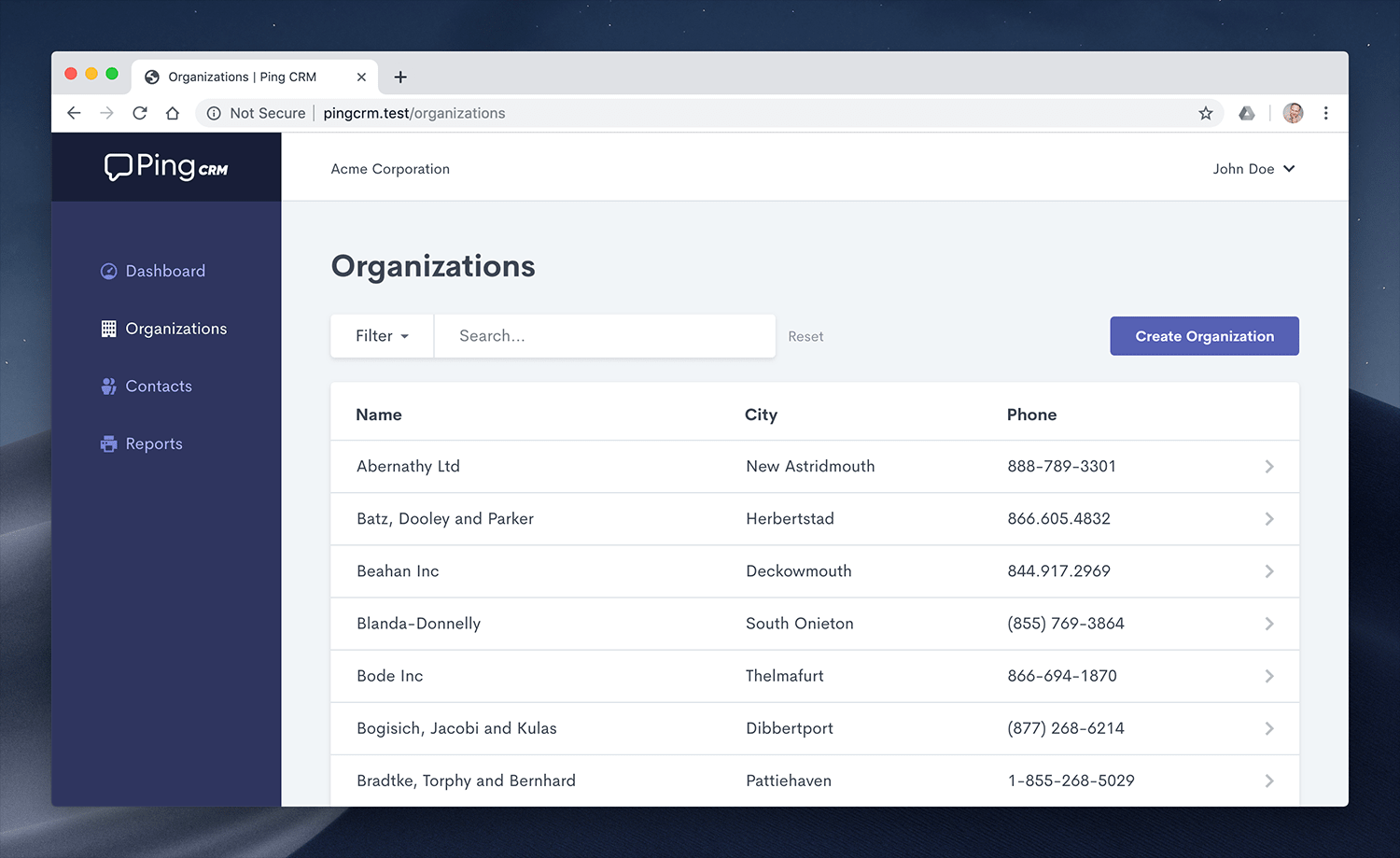](https://demo.inertiajs.com/login)
In addition to the Vue version of Ping CRM, we also maintain a Svelte version of the application, which you can find [on GitHub](https://github.com/inertiajs/pingcrm-svelte).
## Third party
Beyond our official demo app, Ping CRM has also been translated into numerous different languages and frameworks.
* [Ruby on Rails/Vue](https://github.com/ledermann/pingcrm) by Georg Ledermann
* [Ruby on Rails/Vue SSR/Vite](https://github.com/ElMassimo/pingcrm-vite) by Máximo Mussini
* [Laravel/React](https://github.com/Landish/pingcrm-react) by Lado Lomidze
* [Laravel/Svelte](https://github.com/zgabievi/pingcrm-svelte) by Zura G]abievi
* [Laravel/Mithril.js](https://github.com/tbreuss/pingcrm-mithril) by Thomas Breuss
* [Yii 2/Vue](https://github.com/tbreuss/pingcrm-yii2) by Thomas Breuss
* [Symfony/Vue](https://github.com/aleksblendwerk/pingcrm-symfony) by Aleks Seltenreich
* [Clojure/React](https://github.com/prestancedesign/pingcrm-clojure) by Michaël Salihi
---
---
url: /guide/error-handling.md
---
# Error handling
## Development
One of the advantages to working with a robust server-side framework is the built-in exception handling you get for free. The challenge is, if you're making an XHR request (which Inertia does) and you hit a server-side error, you're typically left digging through the network tab in your browser's devtools to diagnose the problem.
Inertia solves this issue by showing all non-Inertia responses in a modal. This means you get the same beautiful error-reporting you're accustomed to, even though you've made that request over XHR.
## Dialog element
@available\_since core=2.2.13
By default, Inertia displays error modals using a custom `
` overlay. However, you can opt-in to using the native HTML `